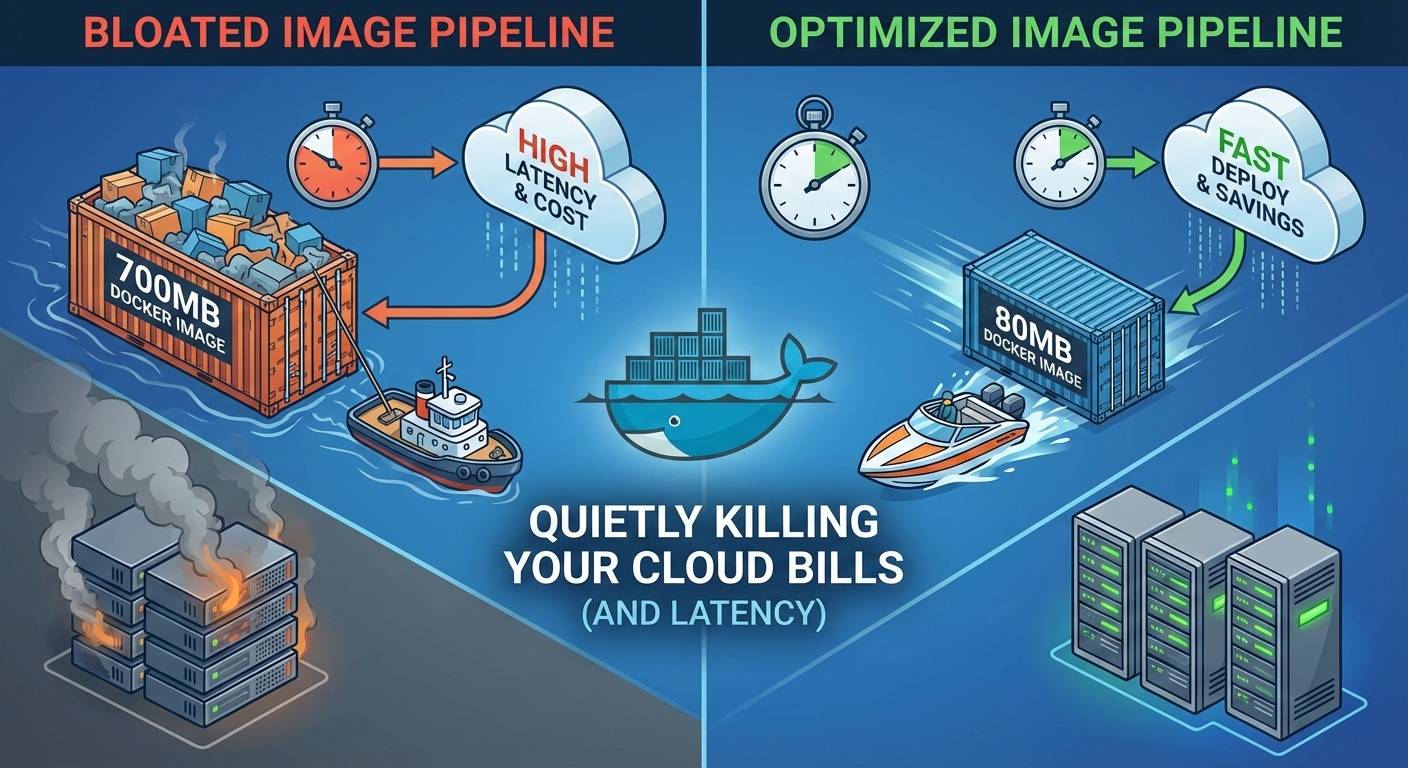
Why Your Docker Images Are Quietly Killing Your Cloud Bills (and Latency)
Why Your Docker Images Are Quietly Killing Your Cloud Bills (and Latency)
Nowadays, everyone is “containerized.”
Docker is everywhere — from local development to CI pipelines to Kubernetes clusters running at massive scale. Yet one of the most overlooked aspects of containerized systems is something painfully simple:
Docker image size.
It’s not flashy. It’s not discussed much in system design interviews. But in production, oversized images silently increase latency, slow down deployments, and inflate cloud costs.
This is one of those topics you usually learn the hard way.
The Problem No One Notices (Until It Hurts)
In many teams, Docker images grow organically.
A base image here. A debugging tool there. Maybe a build dependency that was never removed. Over time, images go from 80MB to 600MB without anyone intentionally making that decision.
On paper, this looks harmless.
In reality, this affects:
Cold start time
Auto-scaling speed
CI/CD pipeline duration
Cluster network saturation
Cloud storage and egress costs
The problem is not one big failure — it’s death by a thousand cuts.
Where Image Size Actually Hurts in Production
Let’s break down the real impact.
1. Slower Container Startup
When a container starts, the image must first be pulled to the node.
A 700MB image across a scaled Kubernetes cluster means:
Longer pod scheduling times
Delayed readiness probes
Slower recovery during failures
During traffic spikes, this directly translates to user-visible latency.
What’s subtle is that this doesn’t show up in application logs. From the app’s point of view, everything is fine — the damage happens before the process even starts.
2. Auto-Scaling Becomes Less Effective
Auto-scaling only works if new instances can start quickly.
Large images slow down scale-up events, especially in cloud environments where nodes are frequently recycled or scaled dynamically.
This leads to a dangerous illusion:
“We have auto-scaling, but the system still feels slow under load.”
The issue isn’t auto-scaling — it’s container weight.
By the time new pods become ready, the traffic spike has already caused timeouts.
3. CI/CD Pipelines Get Slower Over Time
Every push builds, uploads, and scans your image.
Larger images mean:
Longer build times
Slower vulnerability scans
More time waiting on registries
Over time, this erodes developer velocity.
Teams often respond by adding more CI runners or increasing resource limits, treating the symptom instead of the cause.
Hidden Side Effects Most Teams Miss
Oversized images don’t just affect infrastructure — they affect behavior.
When deployments are slow, teams deploy less often. When rollbacks take minutes instead of seconds, people hesitate to take risks.
This quietly leads to:
Fear-driven release processes
Manual hotfixes instead of clean rollbacks
Long-lived feature branches
These are cultural problems that originate from technical friction.
Why Images Get Bloated (Common Anti-Patterns)
Image bloat usually isn’t negligence — it’s convenience.
Some extremely common causes:
Using
ubuntuordebianas a default base imageInstalling build tools and never removing them
Copying the entire project context into the image
Leaving package manager caches behind
Shipping source code instead of compiled artifacts
Individually, these feel minor. Together, they create massive images.
Mental Model: What You Actually Need at Runtime
A powerful mindset shift is separating build-time needs from runtime needs.
Most applications only need:
The compiled binary or transpiled code
Minimal system libraries
Configuration and certificates
Everything else is optional baggage.
Build Stage:
- Compilers
- Package managers
- Dev dependencies

Runtime Stage:
- Binary / dist files
- Minimal OS libs
This distinction is the foundation of almost every serious optimization.
Solutions That Actually Work in Production
Now let’s talk about fixes — the ones that hold up under real traffic.
1. Multi-Stage Builds (Non-Negotiable)
Multi-stage builds allow you to compile your application in one stage and ship only the final artifact.
This alone can reduce image size by 60–90%.
FROM node:20 AS builder
WORKDIR /app
COPY package*.json ./
RUN npm install
COPY . .
RUN npm run build

FROM node:20-alpine
WORKDIR /app
COPY --from=builder /app/dist ./dist
CMD ["node", "dist/index.js"]
This pattern should be your default, not an optimization you apply later.
2. Choose the Right Base Image (Not Just the Smallest)
Base image choice is a trade-off, not a checkbox.
ubuntu: great for debugging, terrible for production sizealpine: very small, but uses musl instead of glibcdistroless: minimal, secure, production-grade
Alpine is not always the right answer.
For CPU-heavy or latency-sensitive workloads, distroless images with glibc often behave more predictably.
3. Be Extremely Intentional About COPY
One careless COPY . . can undo every optimization.
A strict .dockerignore is mandatory, not optional.
This prevents shipping:
Git history
Local environment files
Tests and documentation
Only copy what the runtime actually needs.
4. Clean Up Package Manager Artifacts
Package managers leave behind surprising amounts of data.
Always clean up in the same layer:
RUN apt-get update \
 && apt-get install -y curl \
 && rm -rf /var/lib/apt/lists/*
If cleanup happens in a later layer, the size reduction is lost.
5. Measure Image Size Like a Performance Metric
If you don’t measure it, it will grow.
Mature teams:
Track image size in CI
Set soft or hard size limits
Investigate unexpected increases
Image size regressions should be treated like latency regressions.
6. Align Image Size with Deployment Strategy
Image size matters even more when combined with:
Blue-green deployments
Canary releases
Frequent rollbacks
Smaller images make these strategies safer and faster.
Large images turn every rollout into a risk event.
Final Thoughts
Docker image size is not about aesthetics or premature optimization.
It directly affects how your systems behave under pressure — during deploys, traffic spikes, failures, and rollbacks.
In real production environments, oversized images quietly:
Increase tail latency
Slow down recovery during incidents
Reduce the effectiveness of auto-scaling
Inflate cloud costs without obvious signals
The most dangerous part is that none of this fails loudly.
Systems continue to work — just slower, more expensively, and with less margin for error.
The good news is that this problem is entirely within your control.
Unlike many distributed systems challenges, reducing image size doesn’t require new infrastructure, complex tooling, or architectural rewrites.
It requires intention.
Small images won’t magically fix bad design — but they remove an entire class of self-inflicted problems.
And in production engineering, removing silent failure modes is often the biggest win of all.